Yes! The answer keys for every assignment are on iCollege under “Content” and they appear immediately after submitting an assignment. You should download these and compare them with your own work! You can see exactly how I created each of the recreation plots, and you can see my own extension in the last part of each exercise.
How wide should my histogram bins be? What’s the best rule to follow?
What’s the right/best/most appropriate/clearest way to communicate uncertainty?
Lots of you asked this! Should you use boxplots? Density plots? Violin plots (nope! see below!)? Histograms? Something else? What’s the best way to visualize this stuff?
There are no right answers! It all depends on the data you have, the story you’re telling, and your audience. There’s no flowchart to follow to choose the best kind of plot for any of this.
Am I telling R what to do with my code, or is it telling me what to do? Who’s in charge? Why isn’t it listening?!
This can be frustrating! You’ll type some code, thinking that it’s what you need to write to make a plot, and then nothing works.
Computers are incredibly literal and they cannot read your mind!
As humans we’re good at figuring out information when data is missing or distorted—if someone sends you a text saying that they’re “running 5 minutes latte”, you know that they’re not running with some weird time-based coffee but are instead running late. Computers can’t figure that out and they’d think you’re talking about a literal latte.
For example, in Exercise 5, you made a plot that shows the county of cheese types across country and animal milk types. You might try doing something like this, but it won’t work:
ggplot( cheeses_milk_country,aes(x = Total, y = Country, fill ="Animal type")) +geom_col()#> Error in `geom_col()`:#> ! Problem while computing aesthetics.#> ℹ Error occurred in the 1st layer.#> Caused by error:#> ! object 'Total' not found
That won’t work because:
There’s no column named Total. It’s total with a lowercase t.
There’s no column maed Country. It’s country with a lowercase c.
There’s no column named Animal type. It’s called milk. Also, "Animal type" is in quotes, so even if there was a column named that, it wouldn’t fill the bars by the different animal types—it would make them all the same color. It needs to be fill = milk.
In the end, it needs to look like this:
ggplot( cheeses_milk_country,aes(x = total, y = country, fill = milk)) +geom_col()
In this case, you started by telling R what you wanted, but it was wrong, so R is (kind of) telling you what to do to fix it.
Again, R can’t read your mind, so it won’t give you a message like “You used Animal type, but based on your data it looks like you might want to use the milk column instead.” Computers aren’t that smart. All it tells you is that the column you told it to use doesn’t exist. It’s your job to fix it somehow.
R does try to be more helpful when it can, though!
Like, let’s say you forget that you need to use + in between ggplot layers and you use a pipe (|>) instead (remember the difference here).
ggplot( cheeses_milk_country,aes(x = total, y = country, fill = milk)) |>geom_col()#> Error in `geom_col()`:#> ! `mapping` must be created by `aes()`.#> ✖ You've supplied a <ggplot2::ggplot> object.#> ℹ Did you use `%>%` or `|>` instead of `+`?
R will give you a cryptic error, but it will also give you a helpful hint: “Did you use %>% or |> instead of +?” That’s R trying to work with you—switch the |> to a + and you should be good to go!
In the end, you’re in charge—you’re telling R what you want it to do. But you have to tell it in a way that it understands. It’ll try to help where possible, but you still need to learn how to talk to it.
Do I really need to make fancy custom themes for every plot? Aren’t theme_bw() or theme_gray() just fine?
The built in default themes like theme_gray(), theme_bw(), theme_minimal() and so on are generally well designed and work well and it’s totally fine and normal to just use those, or use them with a little bit of minor modification. You’ll rarely need to spend tons of time tinkering with {ggThemeAssist} to make a completely new theme for every plot you make.
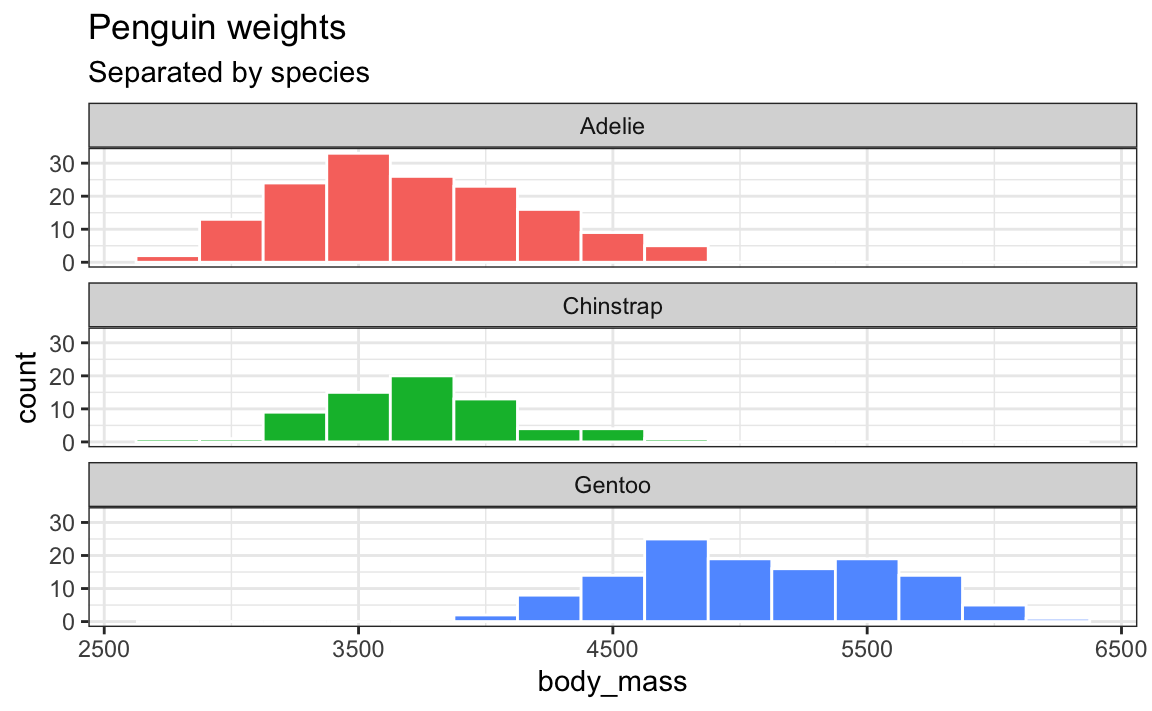
In the majority of my own work, I’ll just use theme_minimal() or theme_bw() or theme_light() with a few little changes. Like, here’s a plot with theme_bw():
ggplot(penguins, aes(x = body_mass, fill = species)) +geom_histogram(binwidth =250, color ="white") +guides(fill ="none") +labs(title ="Penguin weights", subtitle ="Separated by species") +facet_wrap(vars(species), ncol =1) +theme_bw()
That’s all great, but I have a few tiny design quibbles with it:
There’s not a lot of contrast in the title area—it’d be nice if things were bold or something
There’s not a lot of contrast in alignments. The panel titles and axis titles are centered while the plot title and subtitle are left aligned
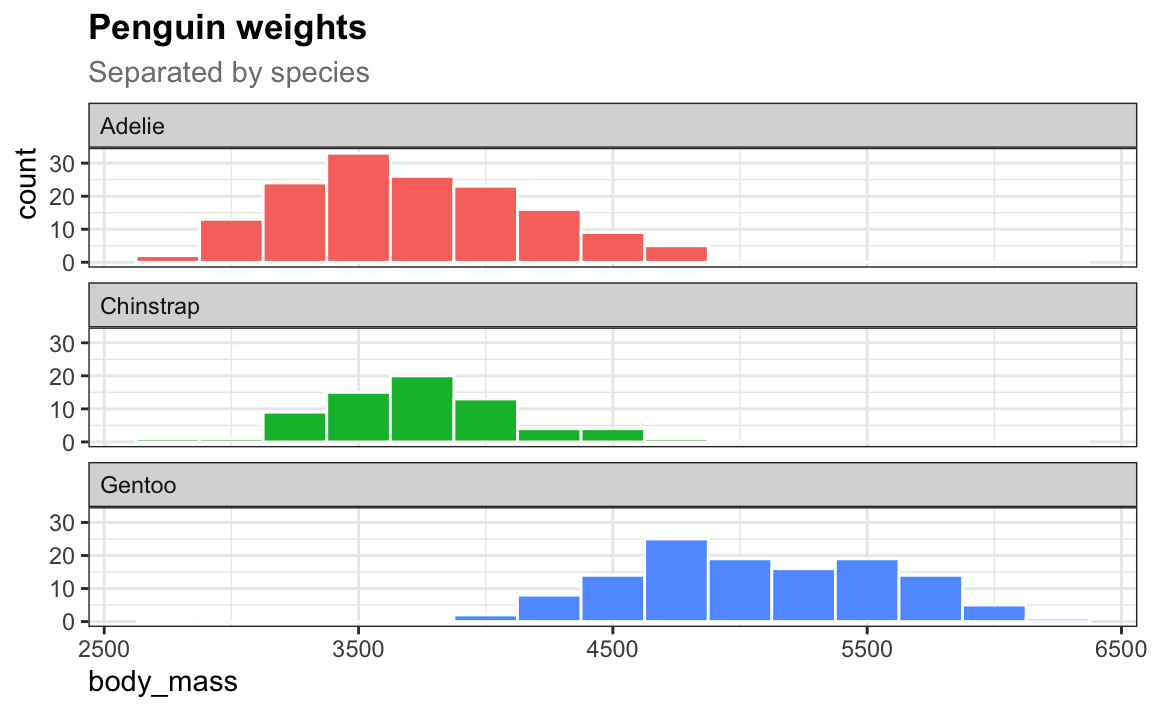
Now there’s good repetition with the alignments and good contrast in the title area.
I’ll use that same theme throughout a project. Typing all those little theme tweaks is annoying, but you can reuse them—see this FAQ from week 5!
# Make a slightly modified version of theme_bw()my_theme <-theme_bw() +theme(plot.title =element_text(face ="bold"),plot.subtitle =element_text(color ="gray50"),axis.title.x =element_text(hjust =0),axis.title.y =element_text(hjust =1),strip.text =element_text(hjust =0) )# Make all future plots in the document use my_themetheme_set(my_theme)
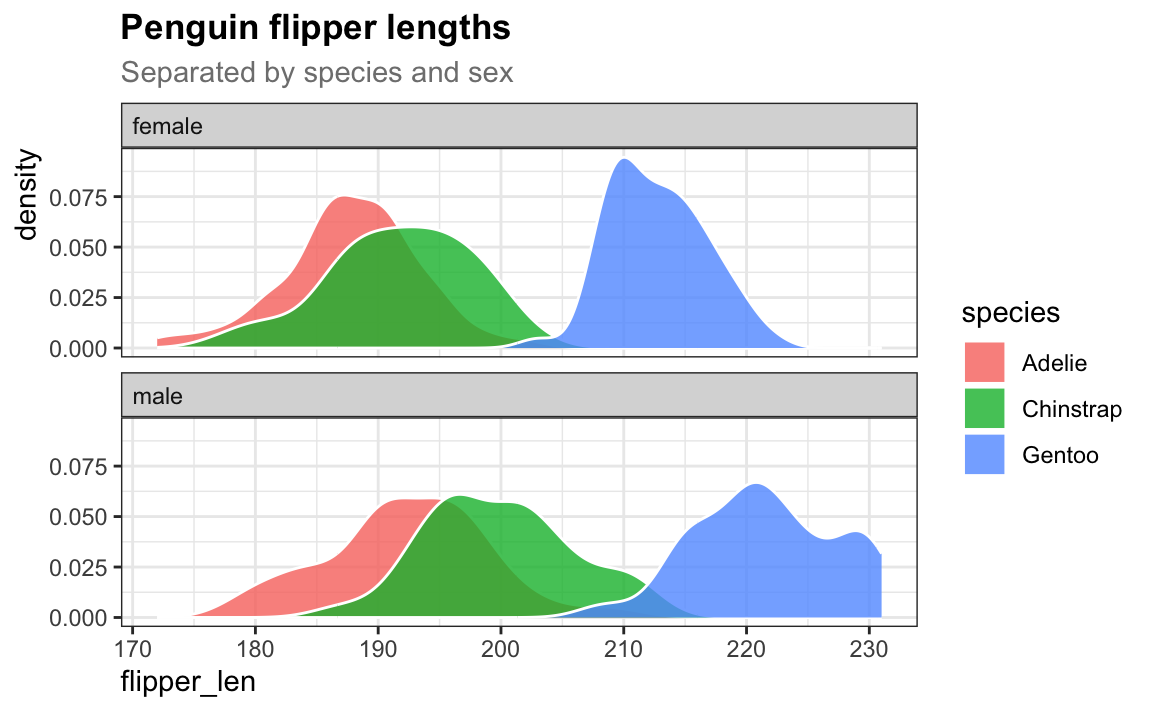
Now for the rest of my document or project, I don’t need to think about adding a theme layer to my plots. Every plot will automatically use my_theme:
# Here's a completely new plot that uses my_theme automatically!penguins |>drop_na(sex) |>ggplot(aes(x = flipper_len, fill = species)) +geom_density(alpha =0.8, color ="white") +labs(title ="Penguin flipper lengths", subtitle ="Separated by species and sex") +facet_wrap(vars(sex), ncol =1)
We keep seeing violin plots, but they’re still confusing (and ugly and weird). Why are they a thing?
Ha yeah, so despite what we covered back in the week on uncertainty, violin plots aren’t actually that great and there are better alternatives.
If you want a detailed deep dive into why they’re bad, check out this (long but fascinating!) video rant that covers both (1) the visual and interpretive issues with them, and (2) the sexism/misogyny that can inadvertently arise from using them:
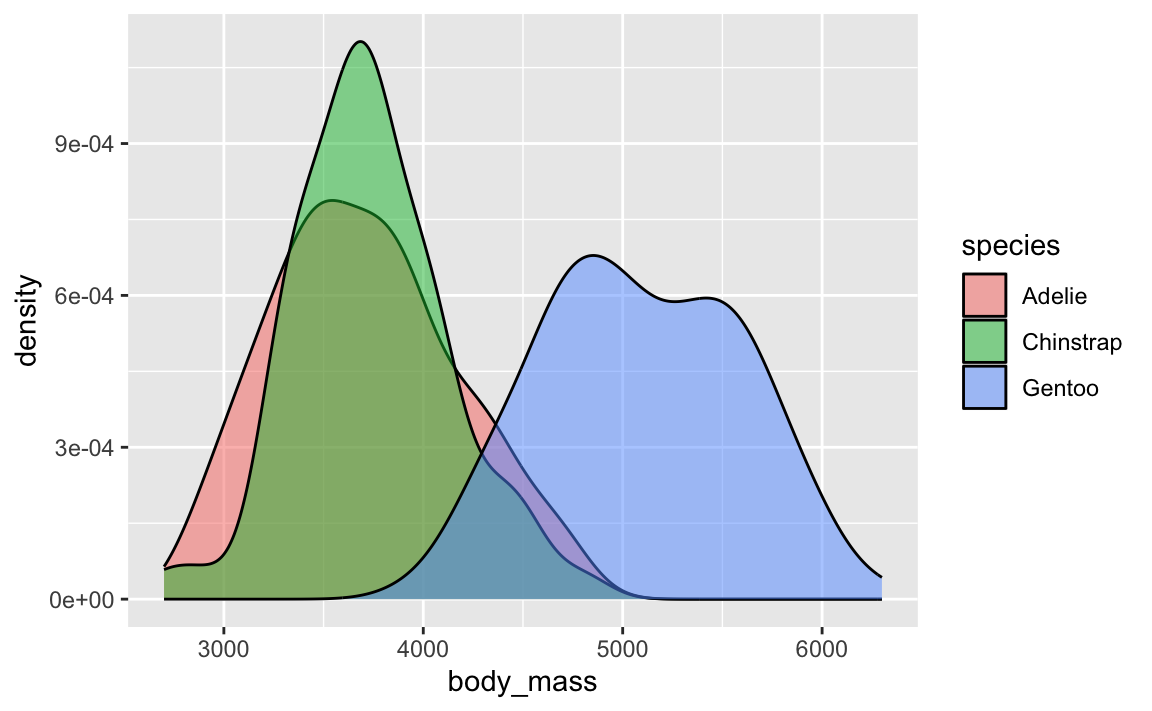
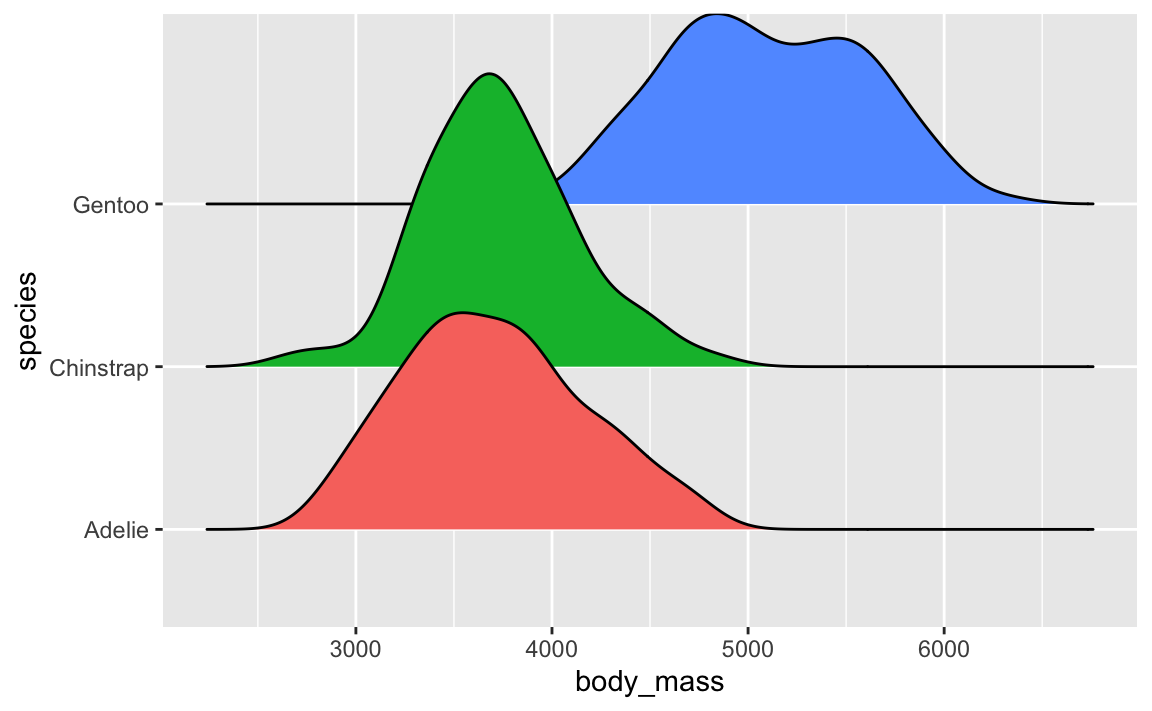
Density plots are fine and great and wonderful and I use them all the time. They’re great for visualizing the distribution of variables. Like here, Gentoos are generally heavier than the other two species of penguins, and Adelies and Chinstraps are basically around the same weight:
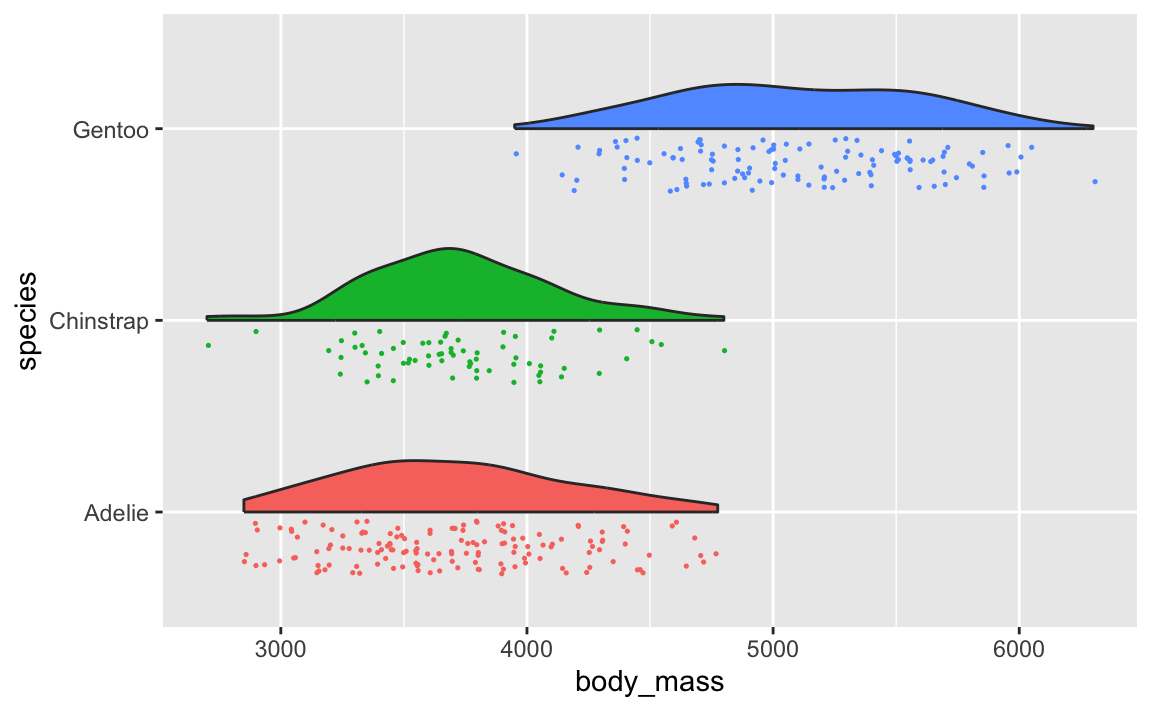
And you can do fancier things with them, like overlaying lots of them with {ggridges} (like you did in Exercise 6) or adding extra details like points (like with {gghalves}).
library(gghalves)library(ggridges)set.seed(1234)ggplot(penguins, aes(x = body_mass, y = species, fill = species)) +geom_density_ridges() +guides(fill ="none")
ggplot(penguins, aes(x = species, y = body_mass, fill = species)) +geom_half_point(aes(color = species), side ="l", size =0.25) +geom_half_violin(side ="r") +guides(color ="none", fill ="none") +coord_flip()
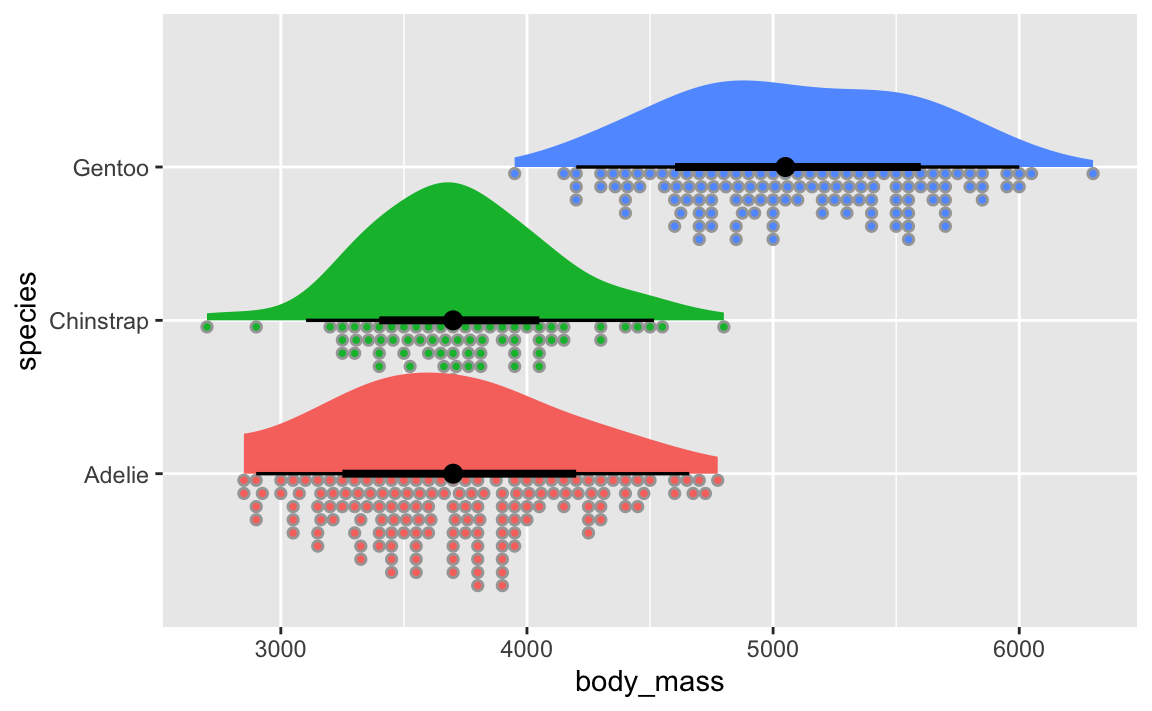
You can even use the {ggdist} package to make all sorts of fancier density plots with extra information like point ranges showing the mean and confidence interval:
library(ggdist)ggplot(penguins, aes(x = body_mass, y = species, fill = species)) +geom_dots(layout ="weave", side ="bottom") +stat_slabinterval() +guides(color ="none", fill ="none")
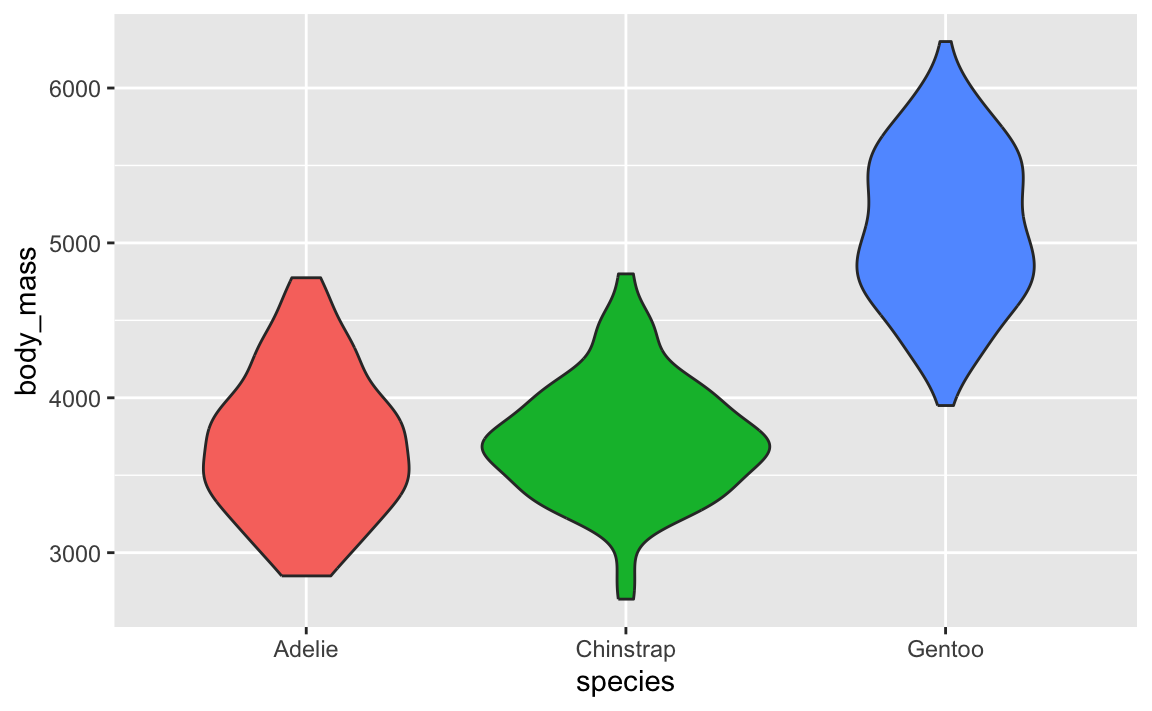
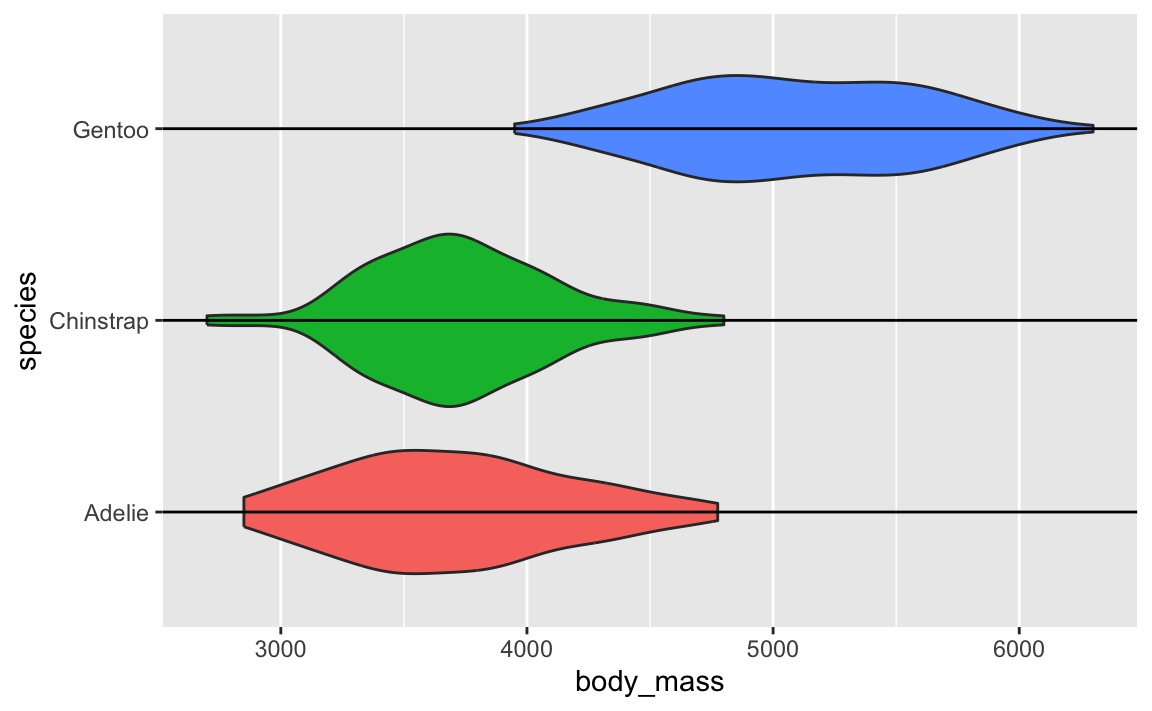
Violin plots are weird because they’re normal density plots, but duplicated and flipped so that they make big blobs.
ggplot(penguins, aes(x = species, y = body_mass, fill = species)) +geom_violin() +guides(fill ="none")
↑ those are just doubled density plots! Like, if we draw a line through each of the blobs, and rotate the plot, you can see the regular density plot and its mirrored version:
ggplot(penguins, aes(x = species, y = body_mass, fill = species)) +geom_violin() +geom_vline(xintercept =1:3) +guides(fill ="none") +coord_flip()
In that video up above, Angela Collier argues that the blobbiness of these violin plots is (1) useless and (2) adds no additional information and (3) bad.
So in practice, yes, geom_violin() is a thing, but I’d recommend not using it. Stick with regular density plots or their fancier versions from {ggdist} and {ggridges} and {gghalves} (geom_half_violin() from {gghalves} itself is bizarre because a half violin plot is just a regular density plot!).
I have numbers like 20000 and want them formatted with commas like 20,000. Can I do that automatically?
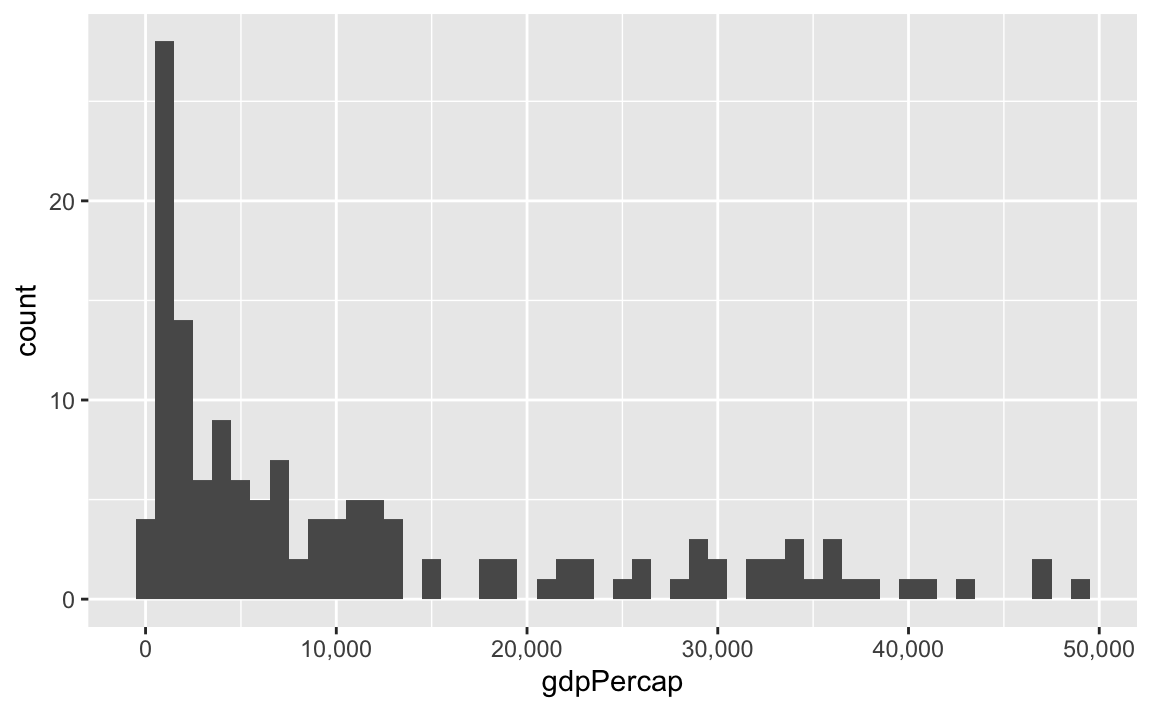
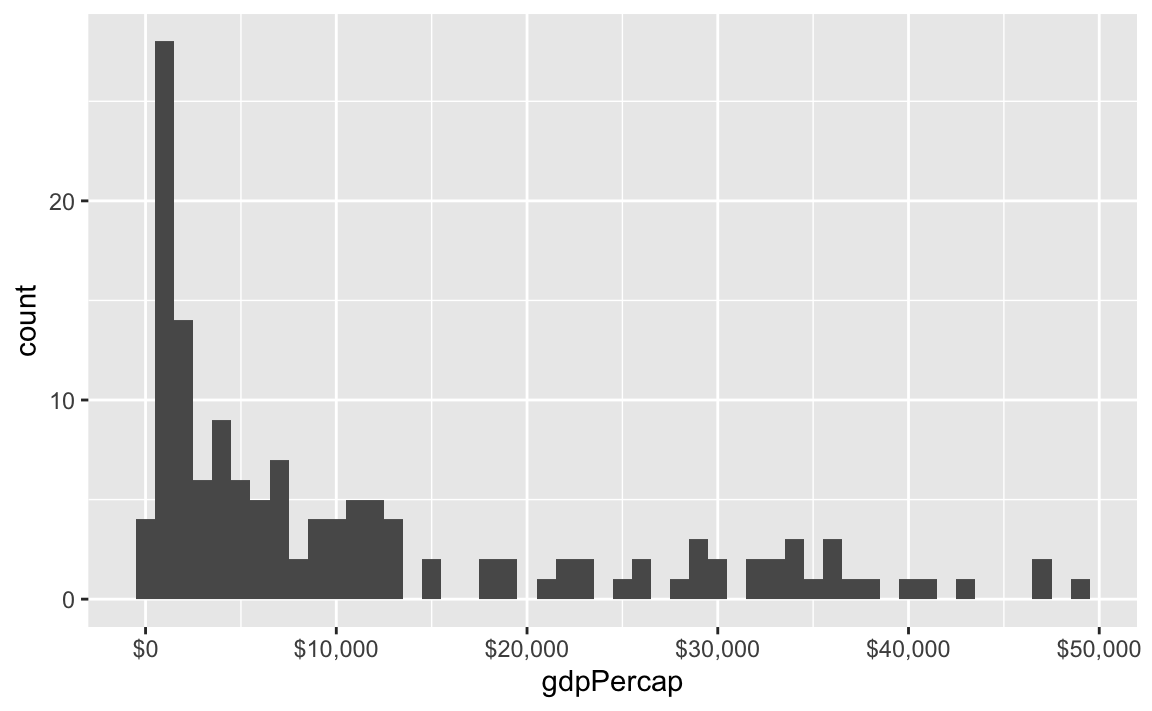
Yes you can! There’s an incredible package called {scales}. It lets you format numbers and axes and all sorts of things in magical ways. If you look at the documentation, you’ll see a ton of label_SOMETHING() functions, like label_comma(), label_dollar(), and label_percent().
You can use these different labeling functions inside scale_AESTHETIC_WHATEVER() layers in ggplot.
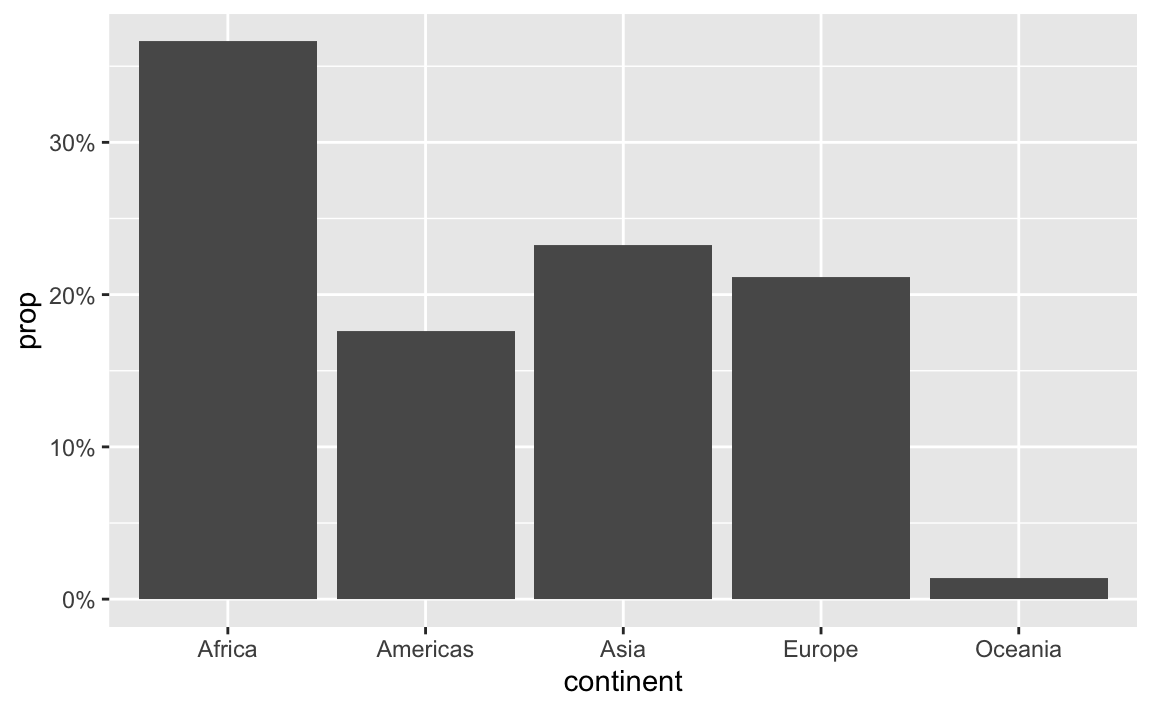
label_percent() multiplies values by 100 and formats them as percents:
gapminder_percents <- gapminder_2007 |>group_by(continent) |>summarize(n =n()) |>mutate(prop = n /sum(n))ggplot(gapminder_percents, aes(x = continent, y = prop)) +geom_col() +scale_y_continuous(labels =label_percent())
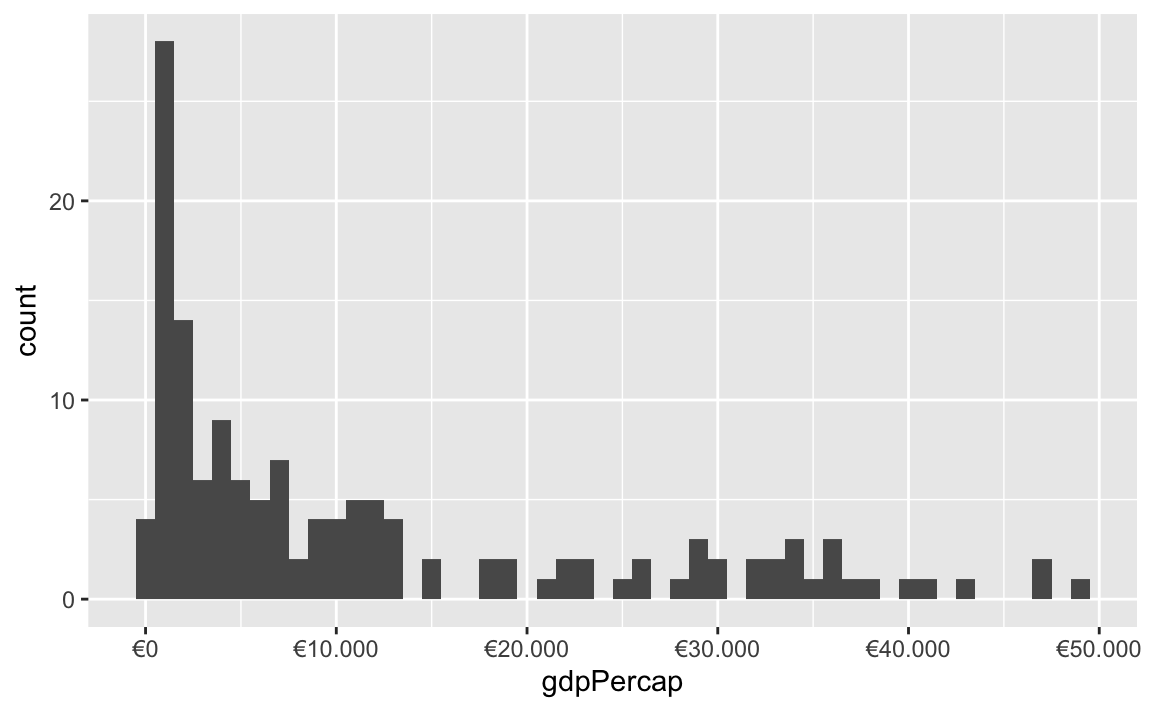
You can also change a ton of the settings for these different labeling functions. Want to format something as Euros and use periods as the number separators instead of commas, like Europeans? Change the appropriate arguments! You can check the documentation for each of the label_WHATEVER() functions to see what you can adjust (like label_dollar() here)
All the label_WHATEVER() functions actually create copies of themselves, so if you’re using lots of custom settings, you can create your own label function, like label_euro() here:
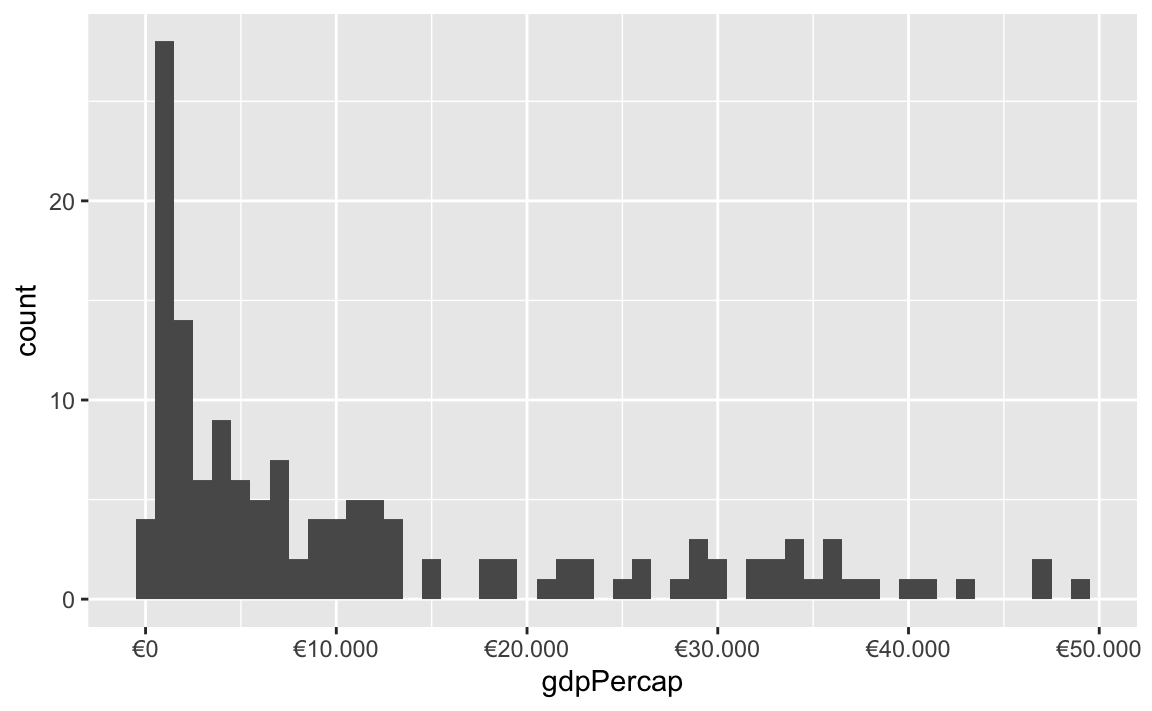
# Make a custom labeling functionlabel_euro <-label_dollar(prefix ="€", big.mark =".")# Use it on the x-axisggplot(gapminder_2007, aes(x = gdpPercap)) +geom_histogram(binwidth =1000) +scale_x_continuous(labels = label_euro)
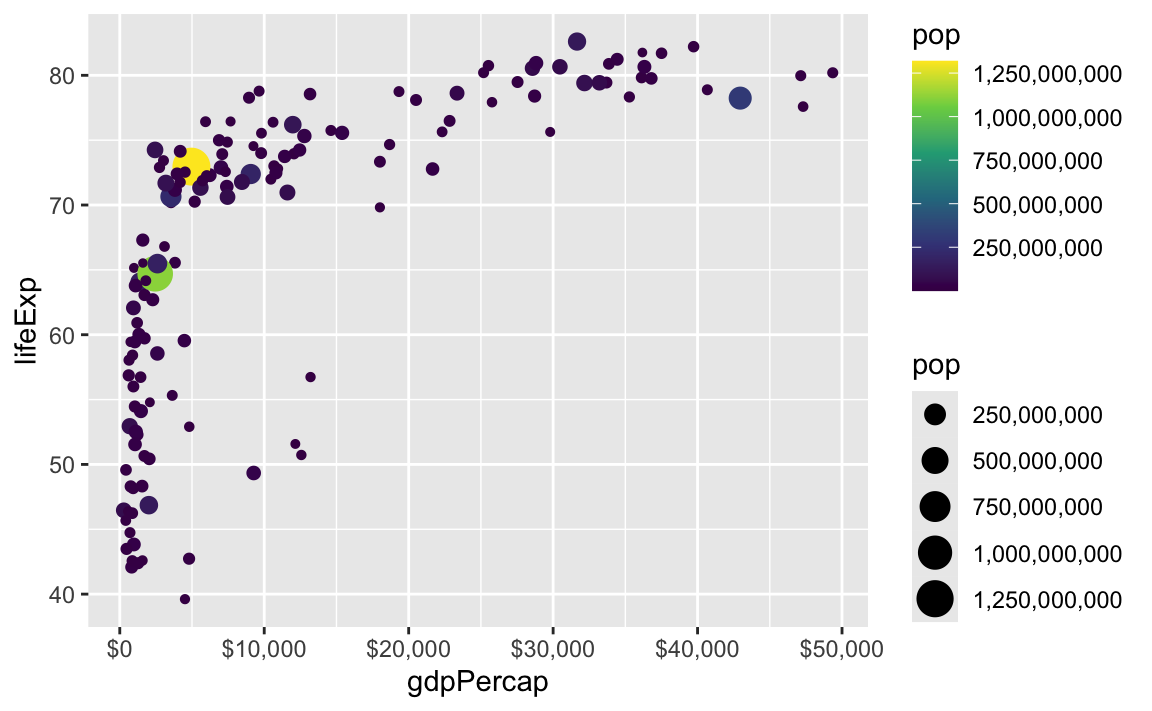
These labeling functions also work with other aesthetics, like fill and color and size. Use them in scale_AESTHETIC_WHATEVER():
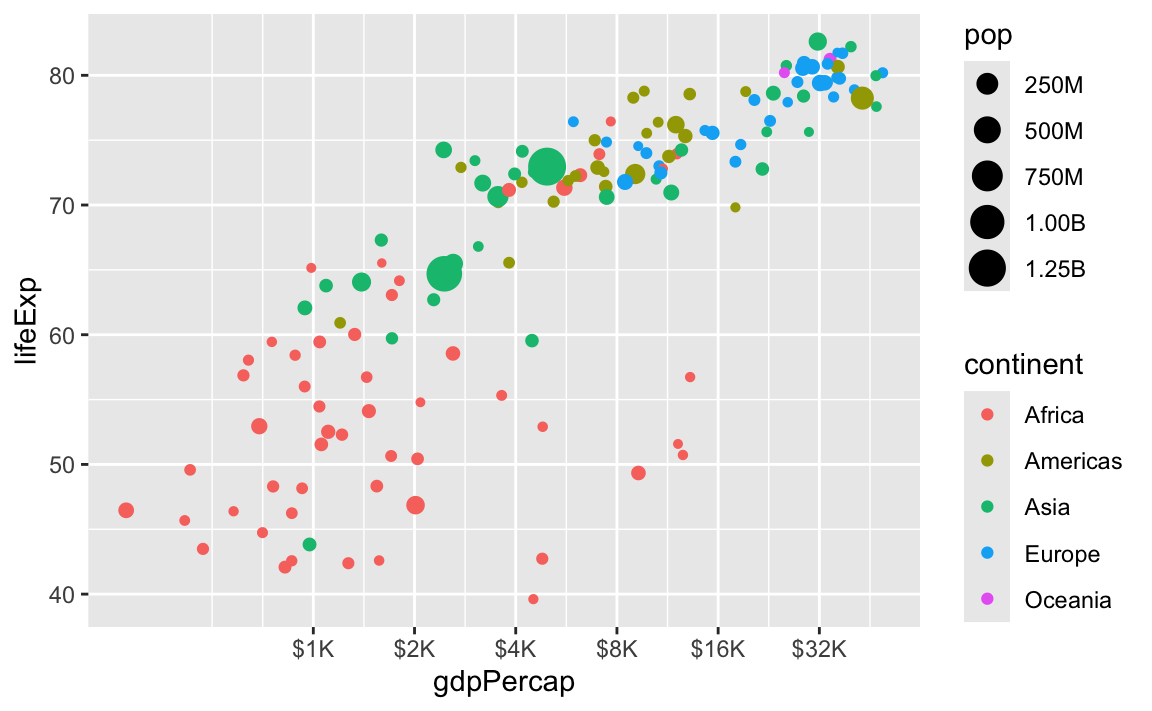
There are also some really neat and fancy things you can do with scales, like formatting logged values, abbreviating long numbers, and many other things. Check out this post for an example of working with logged values.
ggplot( gapminder_2007,aes(x = gdpPercap, y = lifeExp, size = pop, color = continent)) +geom_point() +scale_x_log10(breaks =500*2^seq(1, 9, by =1),labels =label_dollar(scale_cut =append(scales::cut_short_scale(), 1, 1)) ) +scale_size_continuous(labels =label_comma(scale_cut =cut_short_scale()))
I tried using {gghalves} and geom_half_point() but I got an error?
{ggplot2} 4.0 was released in September 2025 (see here for all its new features) and it introduced some feautres that broke many packages that extend ggplot, including {gghalves}. If you install the version of {gghalves} from CRAN like normal, you’ll get errors like this:
#> Error in geom_half_point() : #> ℹ Error occurred in the 1st layer.#> Caused by error in fun():#> ! argument "layout" is missing, with no default
This has been reported as a bug here. One of the main ggplot developers made a copy of {gghalves} and fixed the issue, though. The fix hasn’t been incorporated into the main {gghalves} package yet, but you can install his version by (1) restarting your R session, and (2) running this:
That’ll replace the normal version of {gghalves} with the fixed version for ggplot 4.0. Eventually the {gghalves} developer will merge those changes into the main package, but this works for now!
Does it matter which order we put the different layers in?
So far this semester, most of your plots have involved one or two geom_* layers. At one point in some video (I think), I mentioned that layer order doesn’t matter with ggplot. These two chunks of code create identical plots:
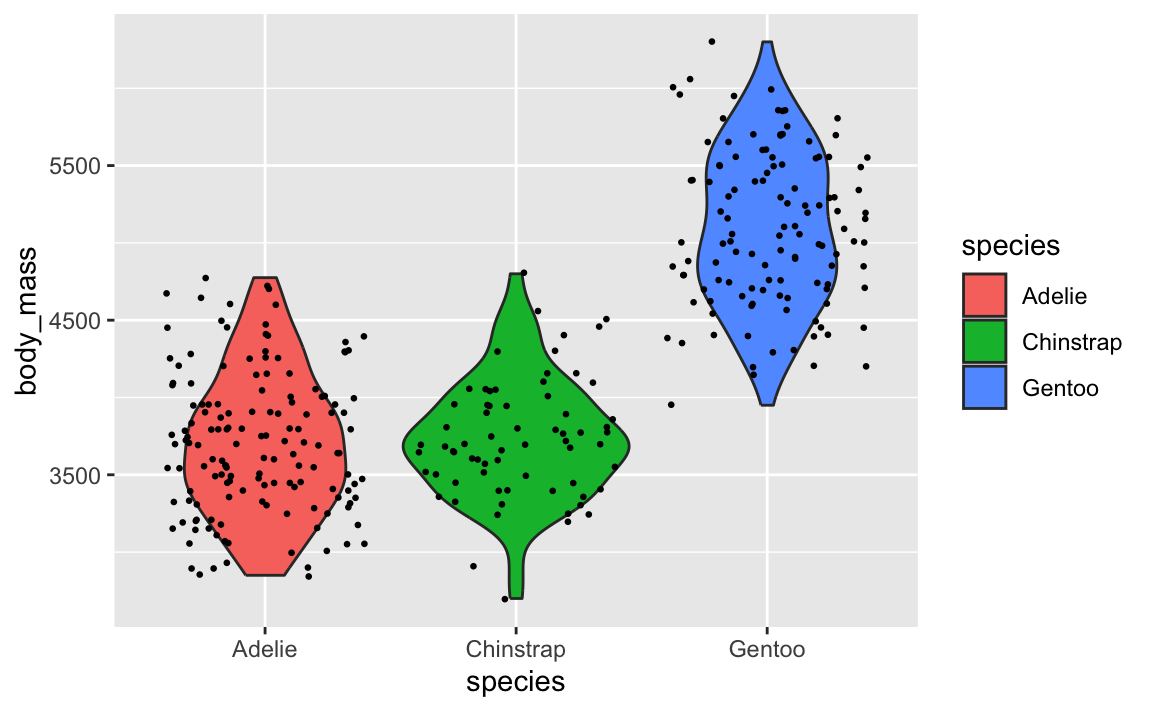
All those functions can happen in whatever order you want, with one exception. The order of the geom layers matters. The first geom layer you specify will be plotted first, the second will go on top of it, and so on.
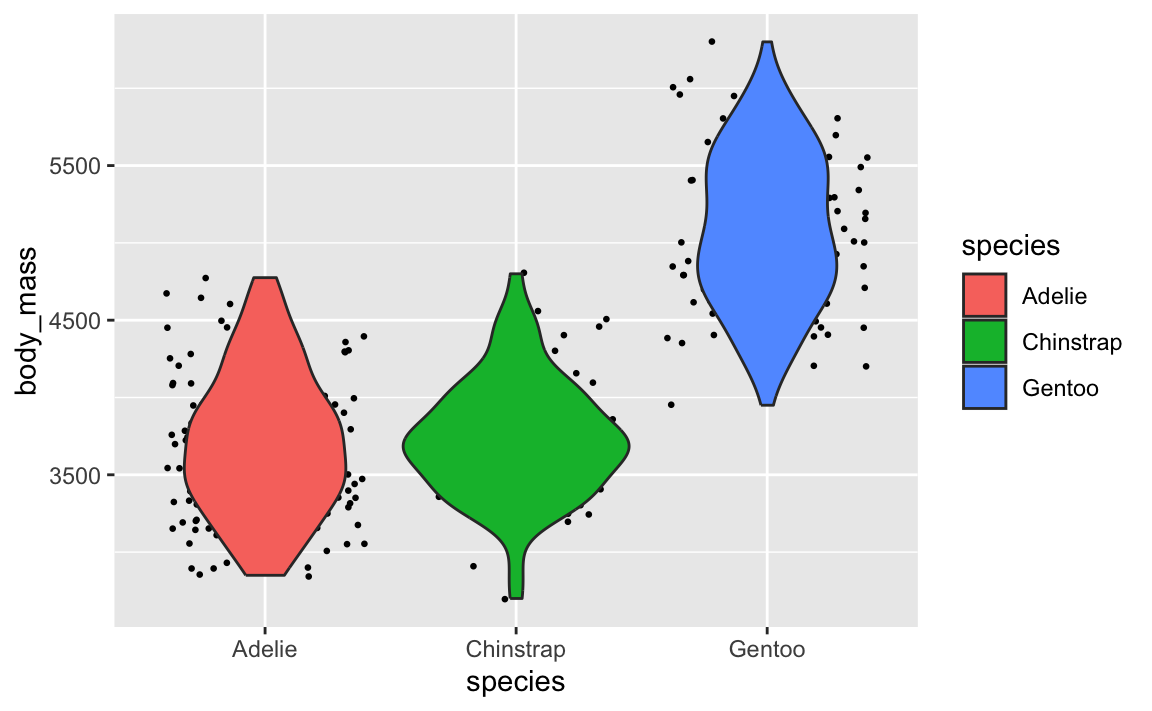
Let’s say you want to have a violin plot with jittered points on top. If you put geom_point() first, the points will be hidden by the violins:
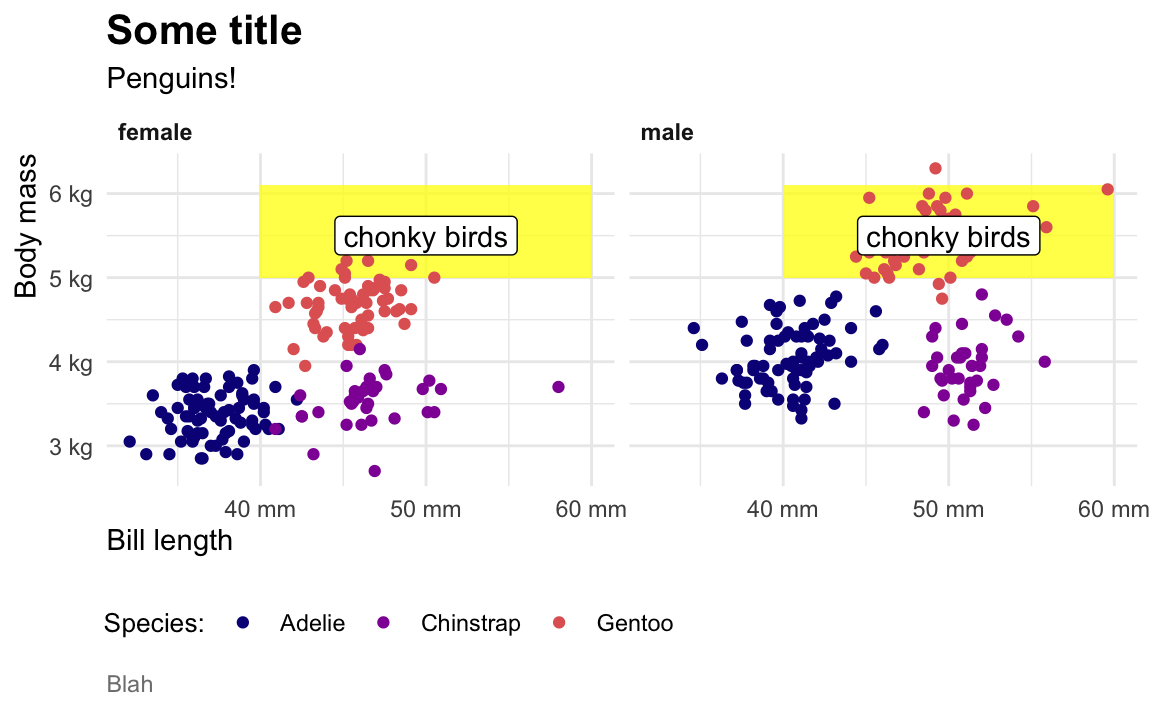
When I make my plots, I try to keep my layers in logical groups. I’ll do my geoms and annotations first, then scale adjustments, then guide adjustments, then labels, then facets (if any), and end with theme adjustments, like this:
This is totally arbitrary though! All that really matters is that the geoms and annotations are in the right order and that any theme adjustments you make with theme() come after a more general theme like theme_grey() or theme_minimal(), etc.. I’d recommend you figure out your own preferred style and try to stay consistent—it’ll make your life easier and more predictable.